¶ 🎬 Requesting Content
Category: Streaming Hub | Target: E-Flix Users
¶ 🎯 The Vending Machine
We use Overseerr to handle all requests. This system is directly linked to the server—once you request something, the "robots" handle the rest. No need to text me!
¶ 🔹 Step 1: Access & Login
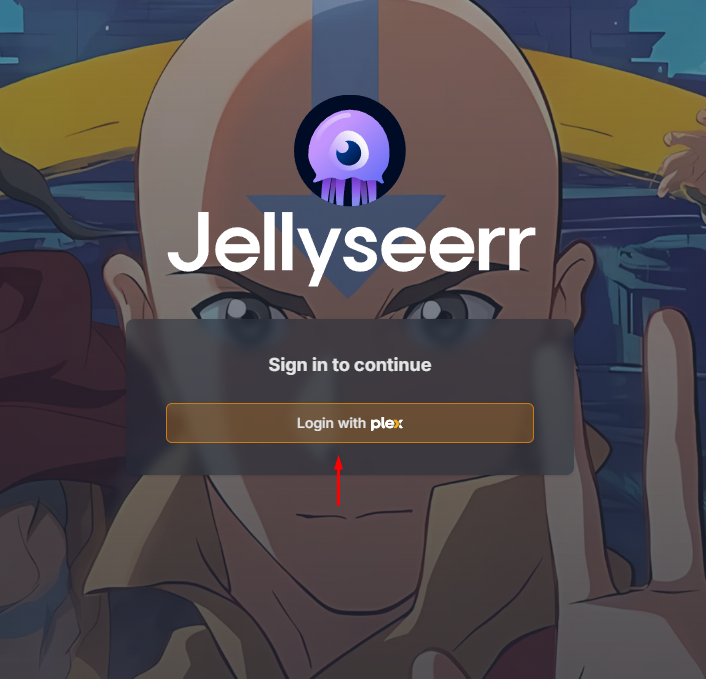
Navigate to the E-Flix request portal:
Click the "Login with Plex" button. As a guest of the server, you are already pre-authorized.
¶ 🔹 Step 2: Search & Request
Search for your movie or show. If it isn't already on the server, hit the Request button.
- Instant Processing: Requests are handled immediately by the server logic.
- Automatic Selection: The server will choose the best version based on my preset rules.
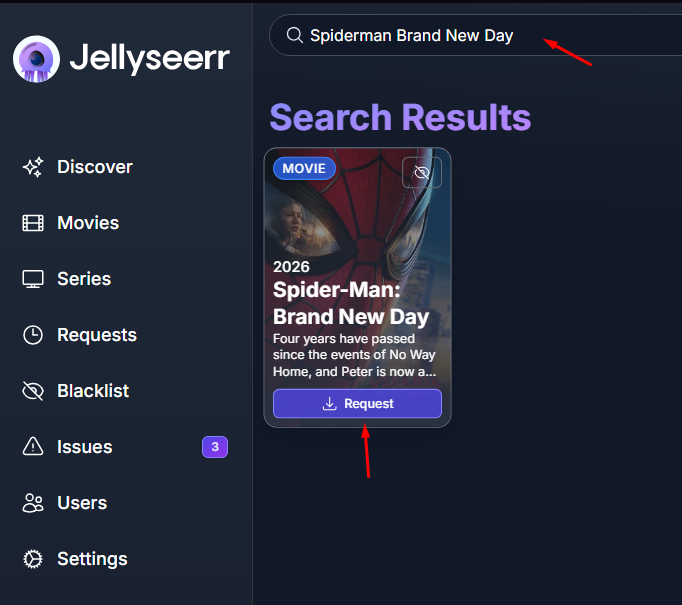
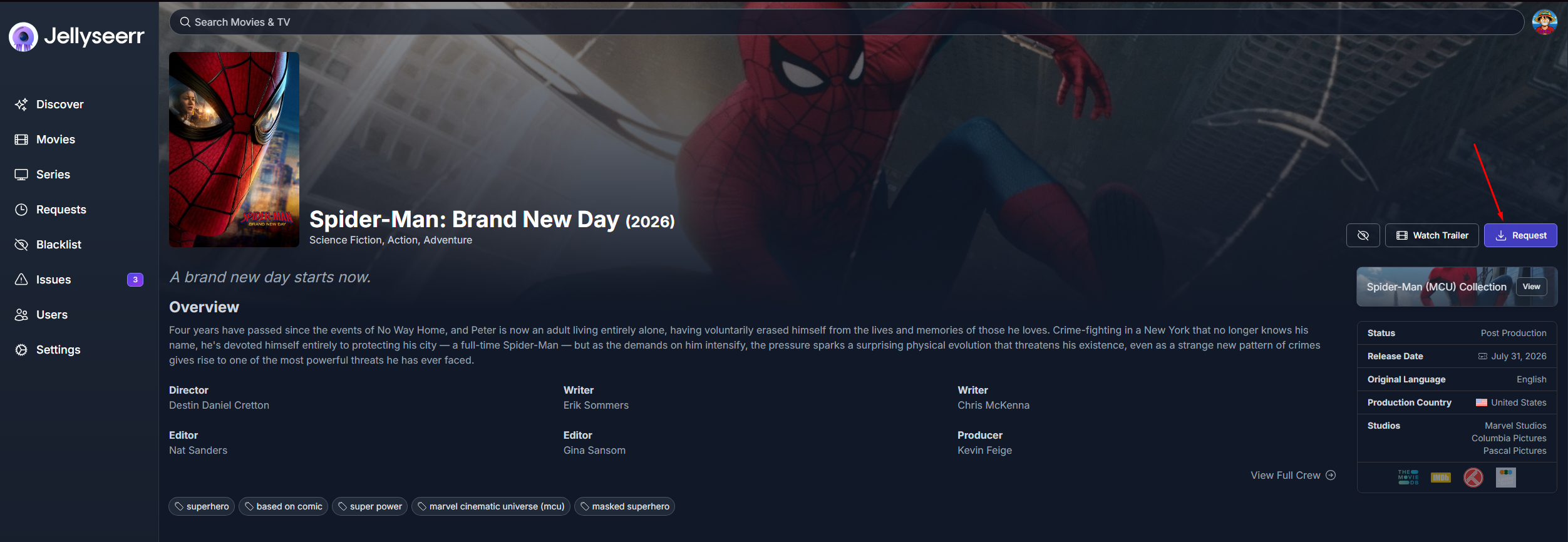
🤔 Did you click the movie poster instead? (Click here to see where the button went)
If you clicked into the actual movie page to read the description, the Request button moves to the left sidebar. It does the exact same thing!
¶ 💬 Alternative: Request via Discord
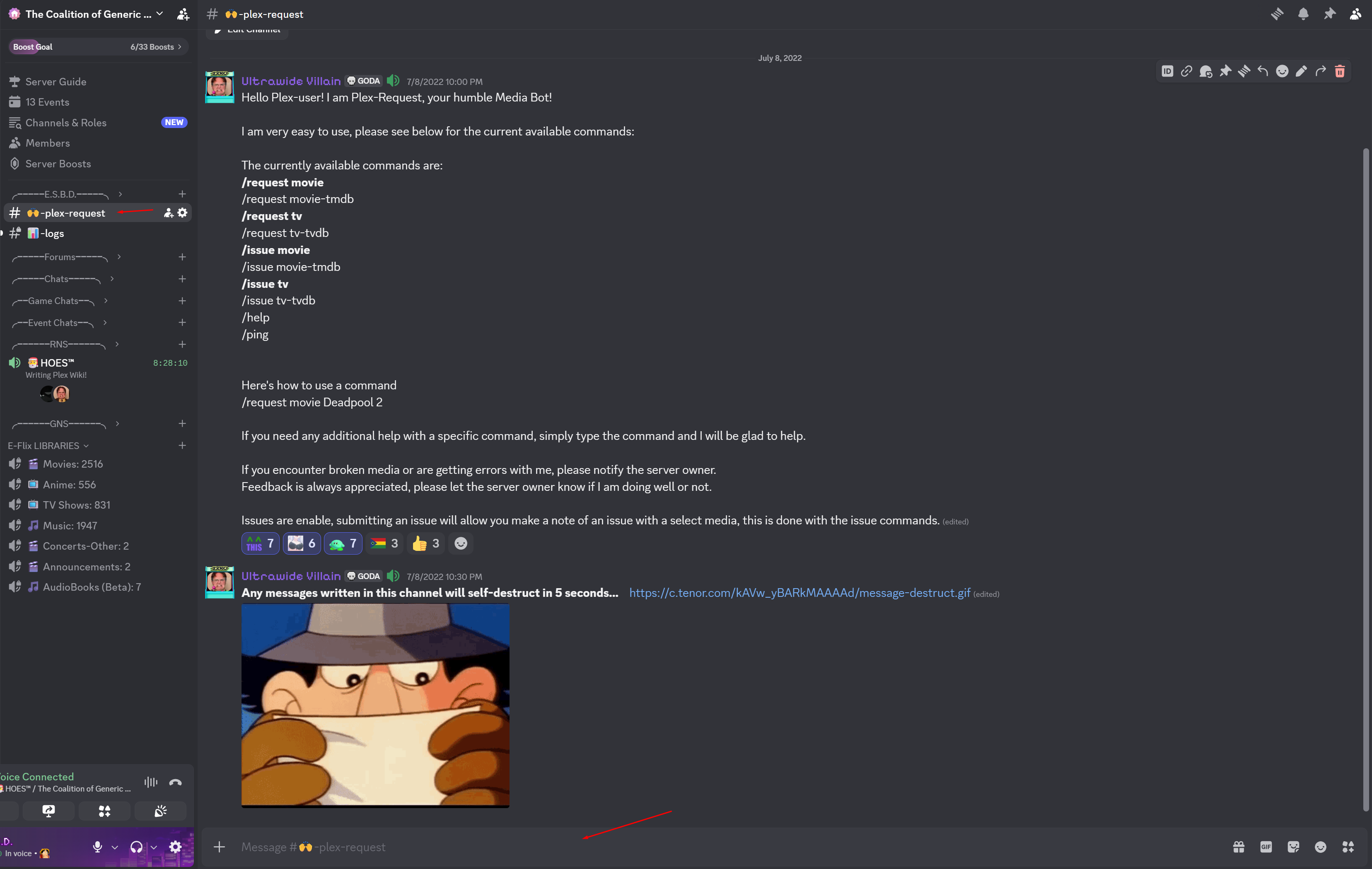
If you are already hanging out in our Discord server, you can skip the website entirely! Meet Plex-Request, our automated media bot.
¶ How to Request
Simply type a slash (/) in the chat to see the bot's menu, or type exactly what you are looking for. For example:
/request movie Deadpool 2/request tv The Last of Us
¶ Reporting Broken Media
If a movie won't play, the audio is out of sync, or an episode is missing, use the Issue command (e.g., /issue movie). This tags the file in the system so the server owner knows to replace it!
¶ 🔔 Notifications
Want a ping when your request is ready?
Discord notifications are available! If your Discord ID is mapped to your Plex account, you'll get a DM. If this isn't working for you, send a comment below to let me know.
¶ ⚖️ E-Flix Request Policy
[ADMIN NOTE: Edit this section later to elaborate on your specific logic/rules for request limits or 4K vs 1080p].